
01 / DREAMERS FREQUENCIES · 2026.10 · VERSION 2.1
PULSE
FIELD
EVERY CHANNEL. DRAWN AS LIGHT.
A multitrack visualiser for Ableton Live. Put it on your Main track and every channel in your set shows up in one window, with its name and colour from Live. Watch them as tiles, lanes, a prism or a 3D stack, record a take, then export it as video up to 4K with your sound inside.
FREE WITH ANY PAID DREAMERS PLUG-INOR WIN IT IN THE MAZE · MAC · VST3 + AU
WHAT IT IS
THE IDEA IN 20 SECONDSA plug-in only hears the track it sits on. PULSE FIELD hears all of them. Every kick, bass, hat and pad in your Live set gets its own light, so you can see the whole track breathing at once, then turn that into a video.
It never touches your sound. Audio passes straight through, untouched. It only listens.
THE NAME: EVERY CHANNEL IS A PULSE. PUT THEM ALL IN ONE FIELD OF VIEW AND YOU SEE THE TRACK AS A ROOM FULL OF LIGHT, NOT A LIST OF METERS.
PLAY WITH IT
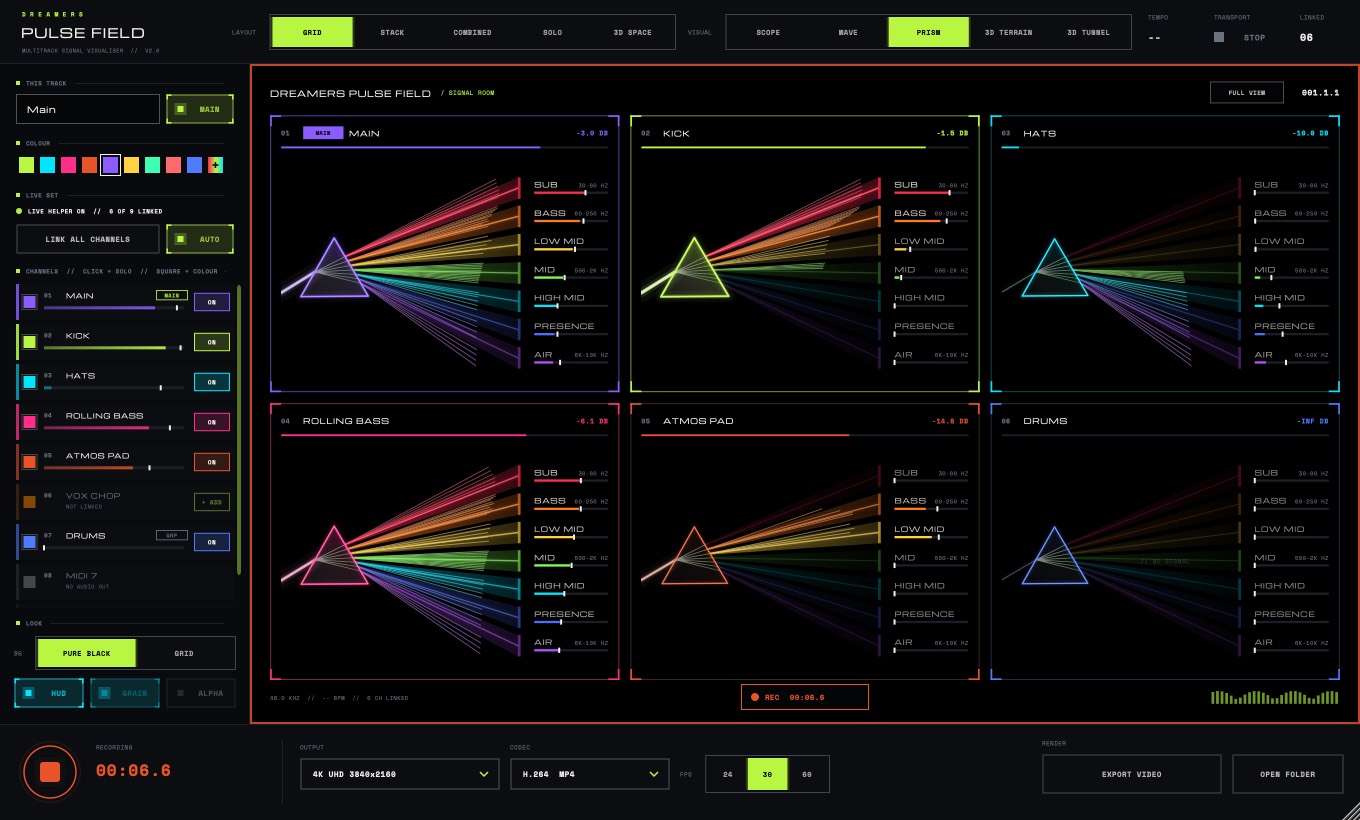
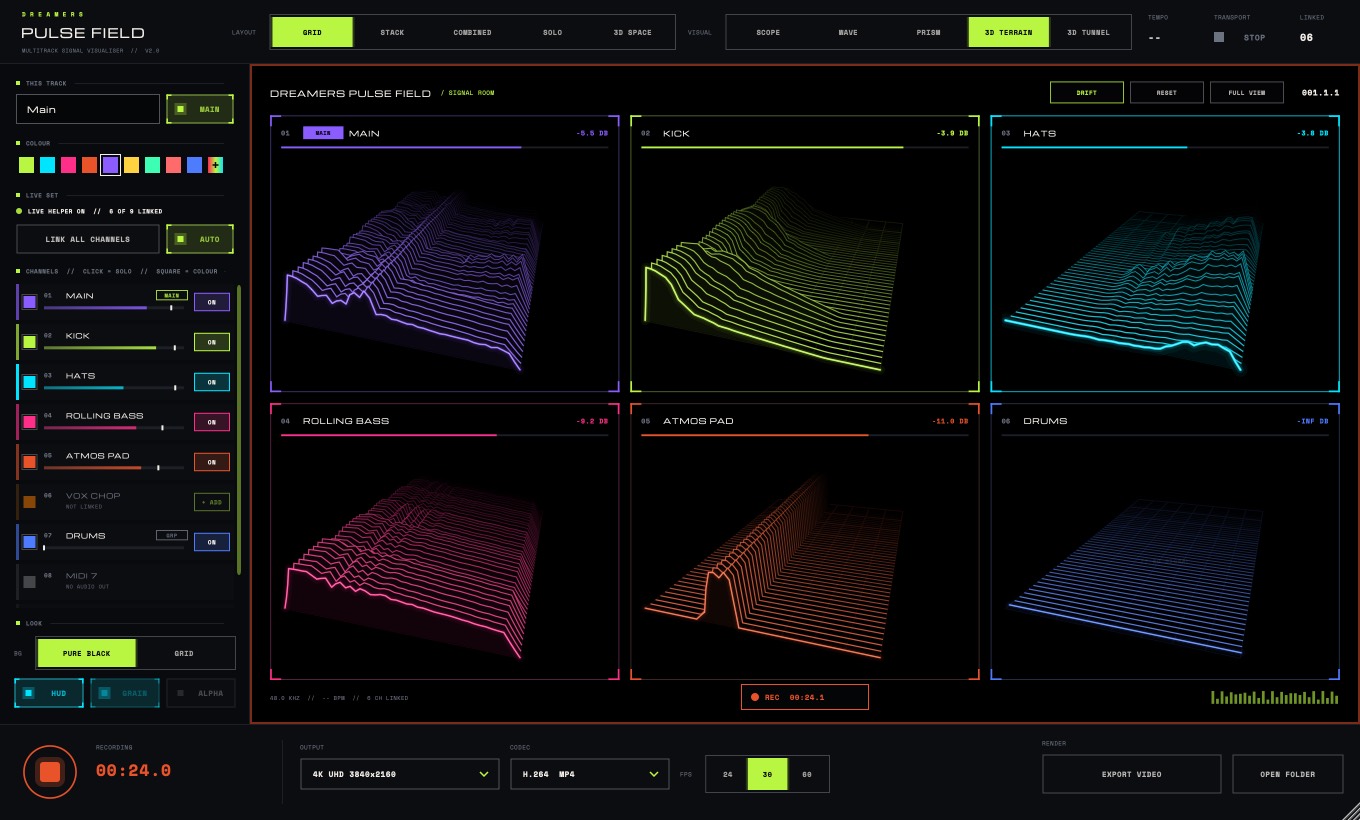
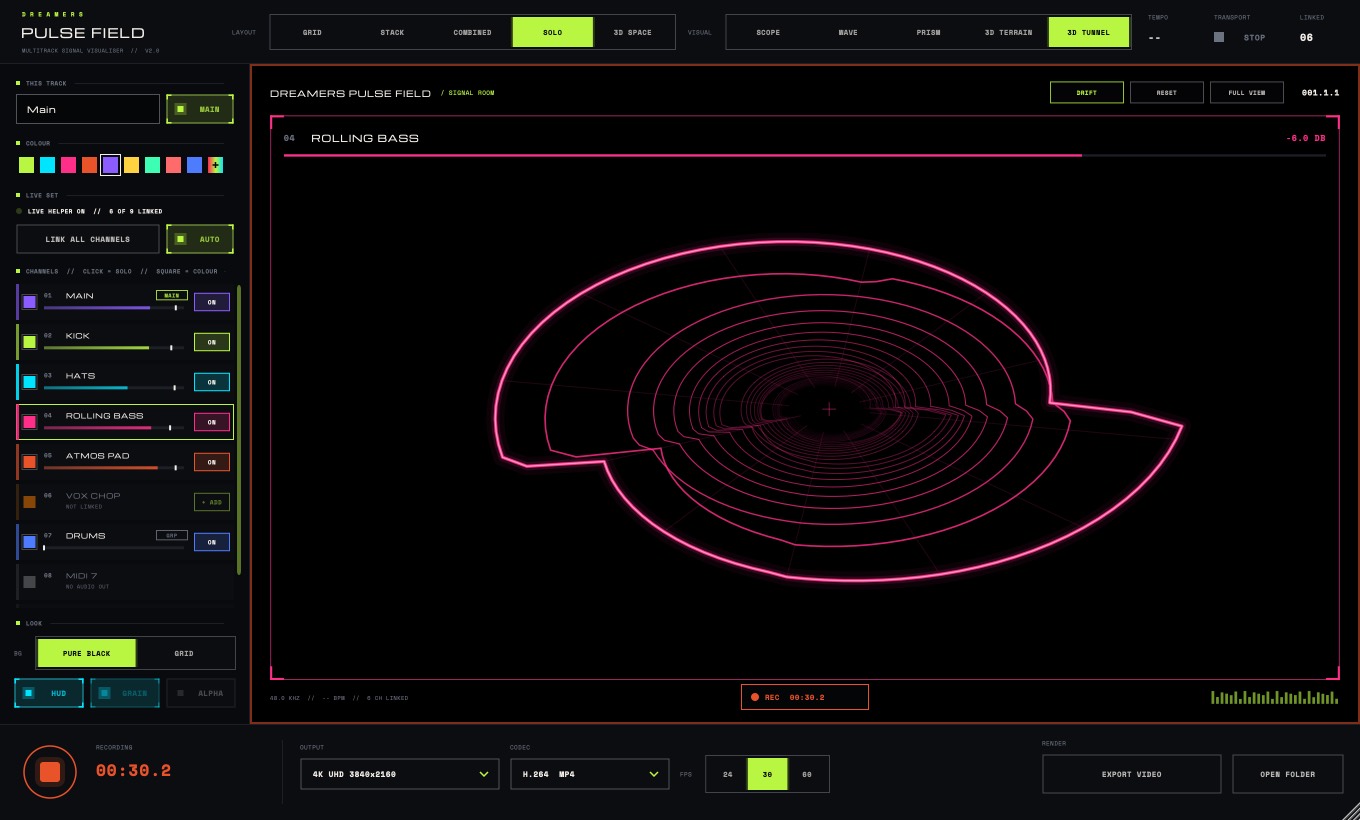
THE WINDOW, IN YOUR BROWSERThis is the PULSE FIELD window running on a four-bar techno loop, split into seven channels plus MAIN, exactly as Live would hand them over. The analysis is the plug-in's own: the same scope, history, bands and pulse. Switch the layout and the visual, hide channels, recolour them, drag the 3D views around. Press HEAR IT to play the loop.
DRAG ORBIT // SCROLL ZOOM // SHIFT-DRAG PAN // DOUBLE-CLICK RESET
PICK AN OUTPUT TO SEE THE FRAME YOUR VIDEO WILL HAVE. IN THE PLUG-IN, EXPORT VIDEO RENDERS THE TAKE TO A FILE.
EVERY CHANNEL
THE LIVE HELPER · PRESS THE BUTTONSLive gives a plug-in on Main the finished mix, not the channels. So PULSE FIELD brings a helper.
The helper is a small, free control-surface script that runs inside Live. It lists every channel in your set, with its name and colour, and puts a light copy of PULSE FIELD at the end of each channel's devices. Every copy passes the sound through untouched and reports what it hears to the one window on Main.
- AUTOOn by default. Every audio, MIDI and group channel gets linked, and so does any channel you add later. Returns stay manual.
- LINK ALL CHANNELSLinks whatever isn't linked yet.
- + ADDLinks just that one channel, returns too.
- NO AUDIO OUTA MIDI track with no instrument makes no sound, so there is nothing to show. It is skipped.
EVERY CONTROL
EACH ONE ANIMATEDPULSE FIELD never changes your sound, so it has no audio parameters to automate. These are all of its controls, in the order they sit in the window. Each card shows what that control does.
USE CASES
WHAT PEOPLE MAKE WITH ITHOW IT WAS BUILT
TEN STEPS FROM PROBLEM TO RELEASESEE IT
THE FILM + THE REAL PLUG-IN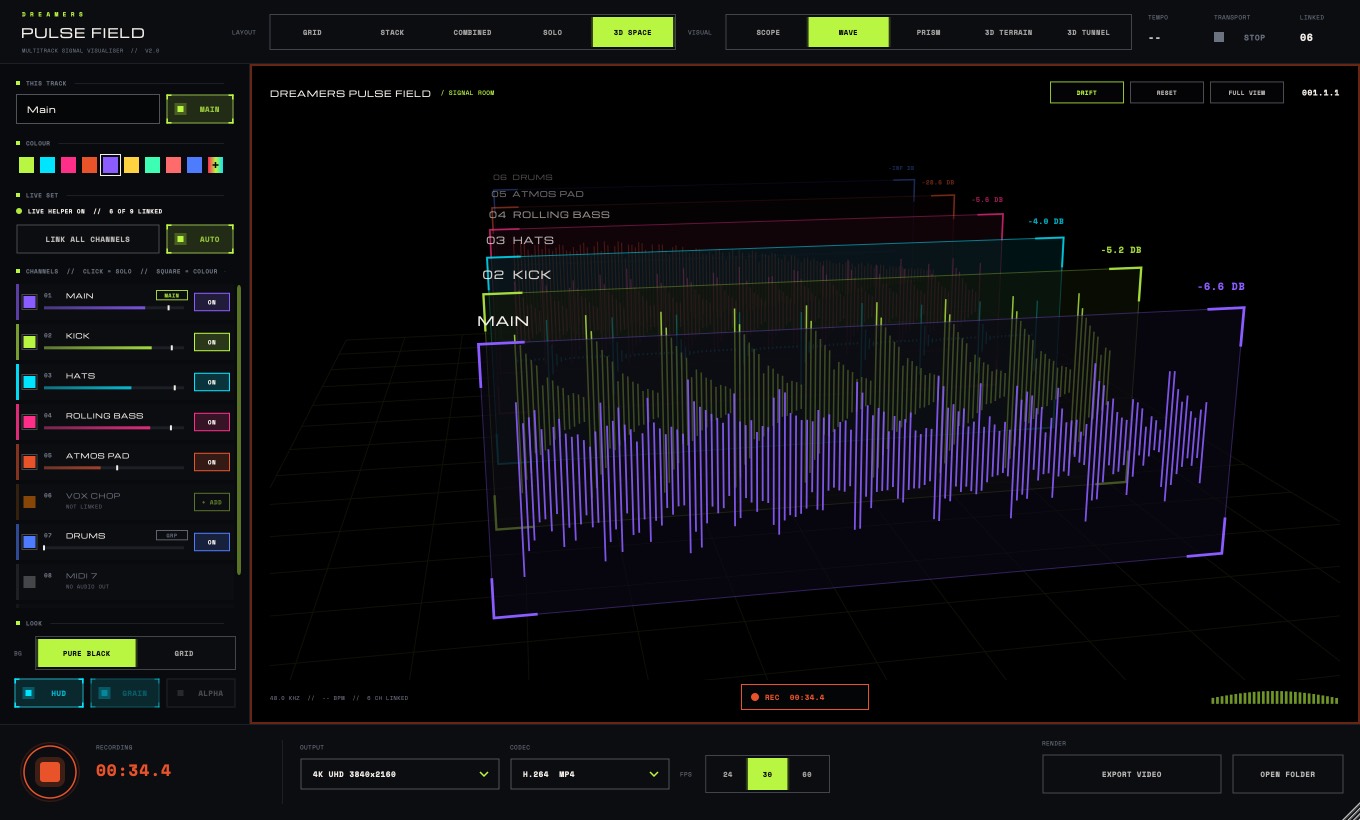
SPECS + LICENCE
WHAT YOU NEED · WHAT YOU GET- FORMATS
- VST3 and AU
- SYSTEM
- macOS 11 or later · Apple Silicon and Intel downloads
- HOSTS
- Built and tested in Ableton Live 12.4, with the free Live helper. In other hosts, put it on each track yourself.
- AUDIO
- Stereo or mono in and out · passes your sound through untouched
- ANALYSIS
- Triggered scope · 4-second scrolling history · 48 log bands from 30 Hz to 10 kHz · seven prism ranges, SUB to AIR
- EXPORT
- 720p, 1080p, 1440p, 4K UHD, 9:16 reels (1080 × 1920, 2160 × 3840) and square (1080, 2160) · H.264 or HEVC MP4, ProRes 4444 MOV with alpha · 24, 30 or 60 FPS · your audio inside
- TAKES
- Up to 30 minutes · export the same take again with another layout · saved to Movies › Dreamers Pulse Field
- WINDOW
- Resizable, from 1240 × 640 up to 3000 × 1800
- TRIAL
- 20 minutes of real use, free, with a DREAMERS account
- LICENCE
- Free with any paid DREAMERS plug-in or app · one computer at a time · works offline forever once it's yours
DOES IT CHANGE MY SOUND?
No. PULSE FIELD only listens. Every copy passes the audio through untouched, on Main and on every channel.
WHY DOES IT NEED A LIVE HELPER?
A plug-in only hears the track it sits on. The helper is a free control-surface script that tells PULSE FIELD about every channel and adds a copy to each one for you. You pick it once in Live's Settings under Control Surface.
CAN I USE IT WITHOUT THE HELPER?
Yes. Put PULSE FIELD on each track you want to see. Every copy in the same session shows up in the one window.
DO NAMES AND COLOURS FOLLOW ABLETON?
Yes. Rename or recolour a channel in Live and it updates. A name or colour you set inside PULSE FIELD sticks until you change it in Live again. VST3 gets names and colours, AU gets names only.
WHICH AUDIO GOES INTO THE VIDEO?
Your Main track if it is linked, otherwise the sum of every channel.
WHAT HAPPENS WHEN THE TRIAL ENDS?
Your sound keeps passing through untouched, so your set never breaks. PULSE FIELD stops drawing and exporting until it's yours.
HOW DO I GET IT FREE?
Buy any paid DREAMERS plug-in or app and PULSE FIELD comes with it. It is also inside the STUDIO BUNDLE, and you can win it in the maze in the shop.
01 / DREAMERS PULSE FIELD
EVERY CHANNEL.
DRAWN AS LIGHT.
FREE WITH ANY PAID DREAMERS PLUG-IN