
09 / DREAMERS FREQUENCIES · 2026.11.03 · VERSION 1.0
LIVE
TUTOR
LEARN LIVE INSIDE LIVE.
A Max for Live device that opens a Reader next to your set. Pick your level and your genre, then follow one action per screen: what to do, where it is, what you should see and why. Real Live screenshots show the exact spot, outlined and highlighted. Stuck? Ask the Tutor, by typing or out loud.
WHAT IT IS
THE IDEA IN 20 SECONDSTutorials live in another window, another tab, another app. You pause, you look away, you lose your place. LIVE TUTOR sits in your Live set as a device. The Reader tells you one thing to do, shows you exactly where it is in Live, and waits until you have done it. It shows you. It never touches your set.
FOR ABLETON LIVE 12 SUITE, OR STANDARD WITH MAX FOR LIVE. EVERY DEVICE FACT IS CHECKED AGAINST THE OFFICIAL LIVE 12 MANUAL, AND MARKED WHEN THE MANUAL GIVES NO NUMBER.
TRY A LESSON
THE REAL LESSONS · IN YOUR BROWSERThis is the Tutor's real catalogue: every level, chapter, step and check exactly as it ships. Pick a level and a genre, open any chapter and walk through it. The Live screen here is a mock drawn for this page; where a step happens at a place in Live, the Tutor shows a real Live 12 screenshot instead. Press HEAR THIS STEP to hear what the step does to the sound.
THE LEVELS
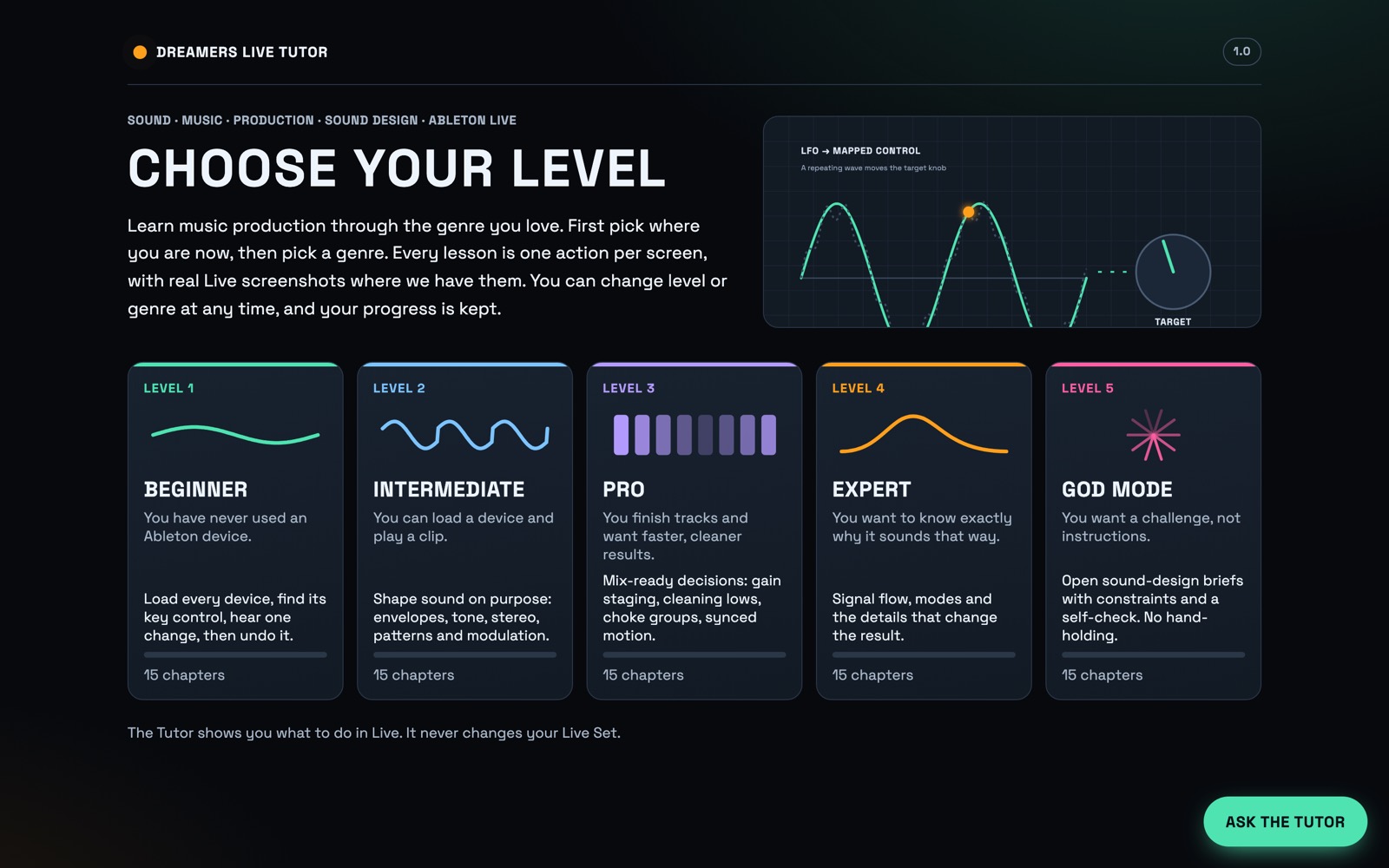
PICK WHERE YOU ARE NOW · CHANGE ANY TIMEEvery level has the same 15 chapters, written again for that level. Beginner gets every click spelled out. God Mode gets an open brief, a constraint and a self-check. Your progress is kept per level. Tap a level to open it above.
THE PATH
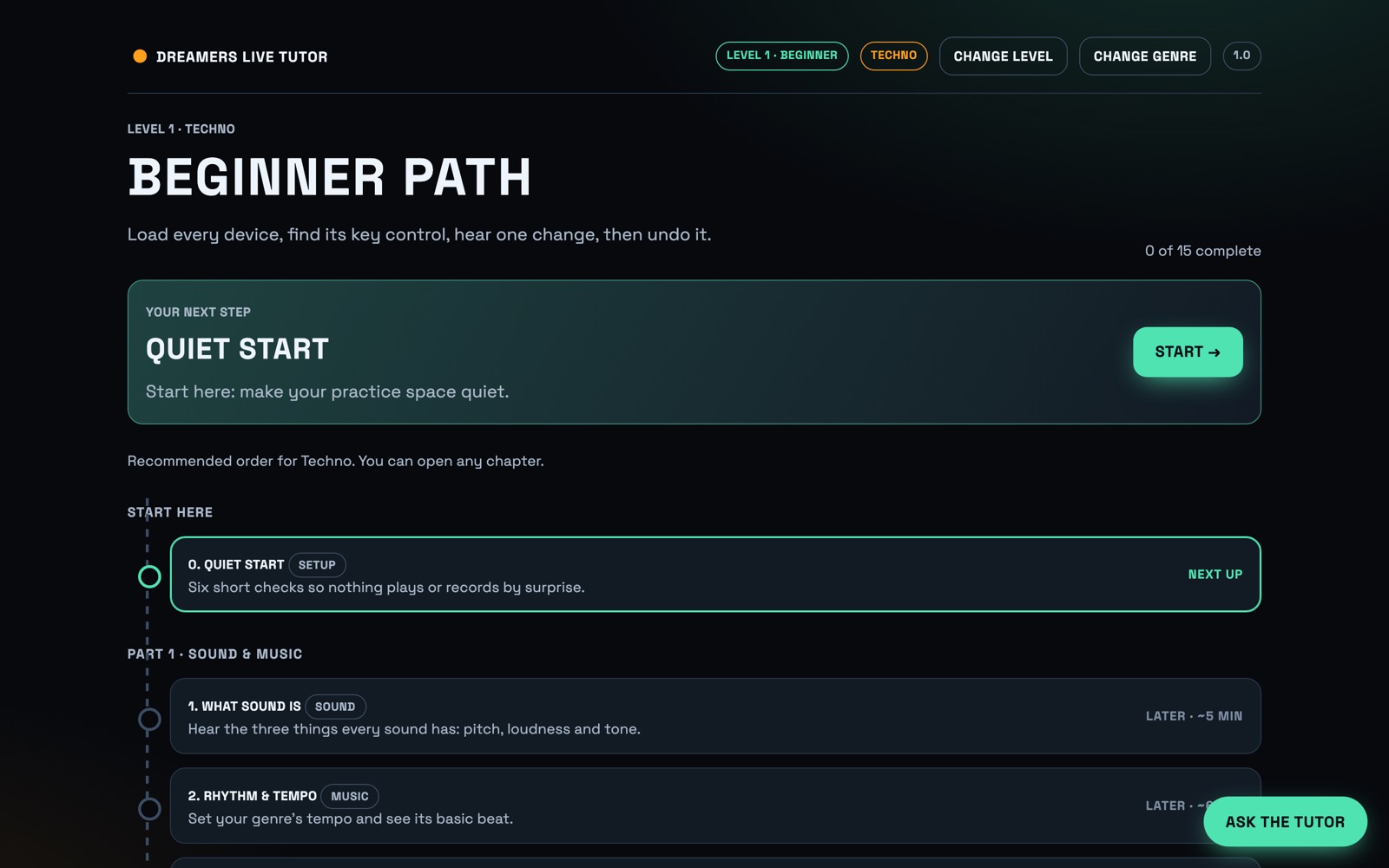
15 CHAPTERS · ORDERED BY YOUR GENREStart here, then sound and music, then the seven devices, then production and sound design. Your genre changes the order of the devices, the examples, the tempos, the beats and the chord colours. The Live actions stay the same. Genre advice is production guidance, not rules.
EVERY FEATURE
ALL OF IT · EACH ONE ANIMATEDThe device in your set, the Reader, the lessons, the genre lenses and Ask the Tutor. Pick a group.
USE CASES
WHO IT IS FORHOW IT WAS BUILT
FROM A BRIEF TO A TESTED RELEASESEE IT
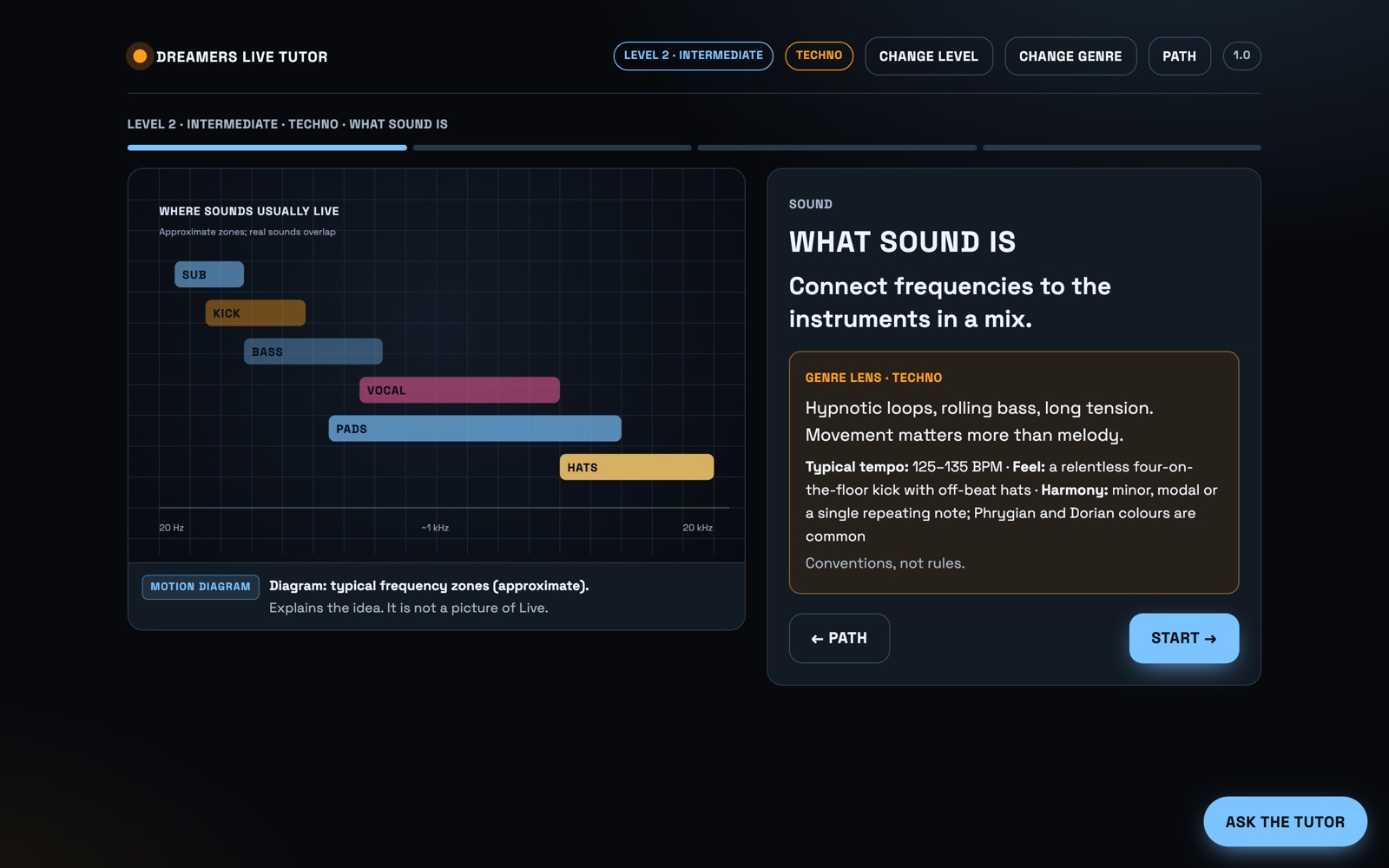
THE REAL READER AND DEVICE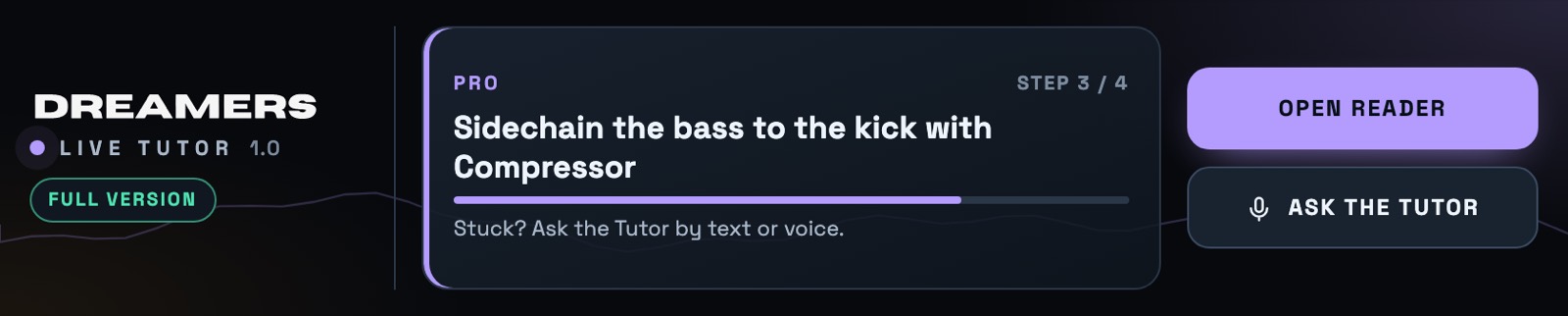

SPECS + LICENCE
WHAT YOU NEED · WHAT YOU GET- FORMAT
- Max for Live MIDI device (.amxd) + the Reader, which opens as its own window
- HOST
- Ableton Live 12 Suite, or Live 12 Standard with Max for Live
- SYSTEM
- Mac download
- LESSONS
- 5 levels × 15 chapters = 75, each with a check question. Seven devices: Drift, Utility, EQ Eight, Simpler, Drum Rack, Arpeggiator and LFO
- GENRES
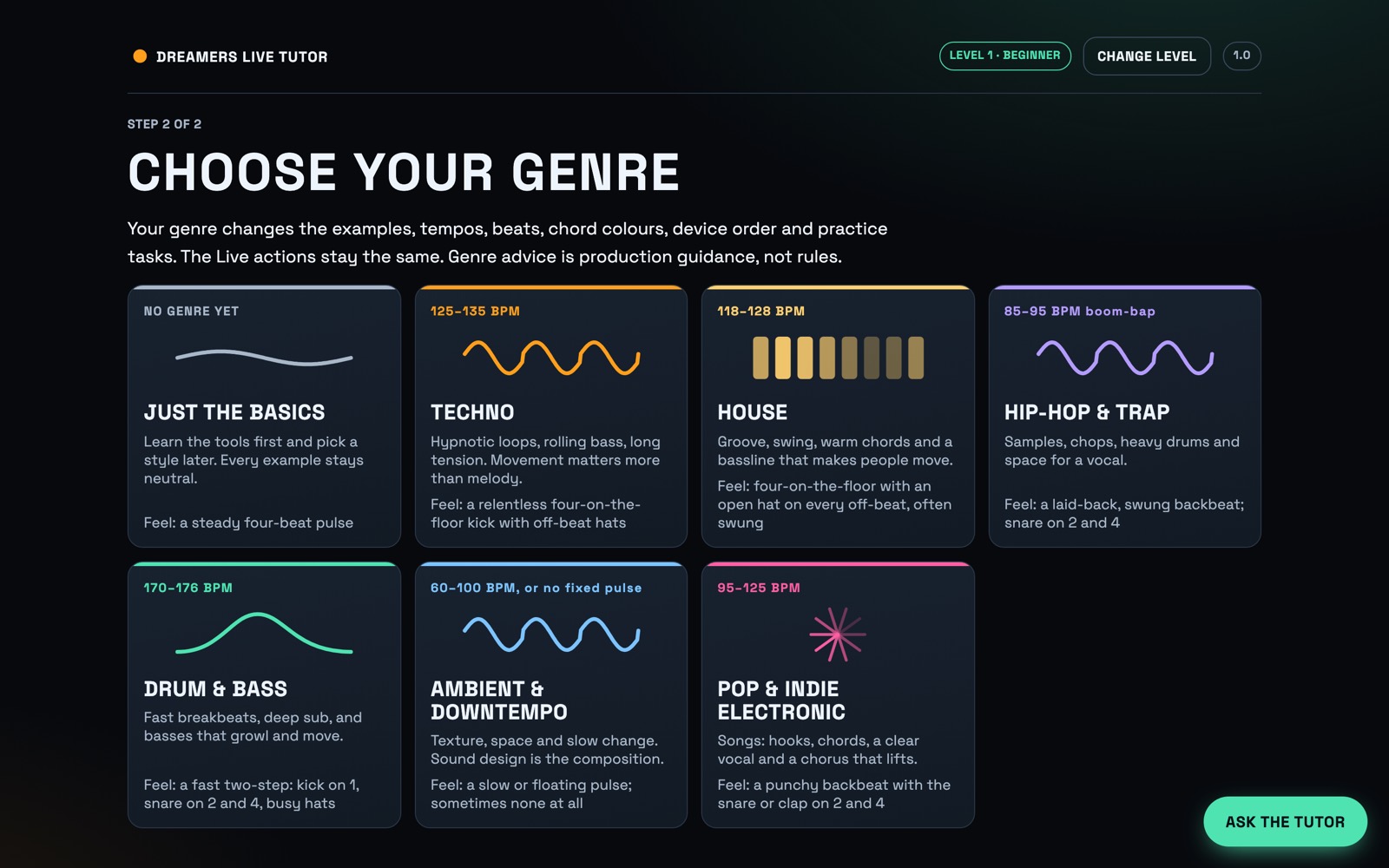
- Just the basics, Techno, House, Hip-hop & Trap, Drum & Bass, Ambient & Downtempo, Pop & Indie Electronic
- ASK
- Typed or spoken questions, online, with a daily allowance per account. On an Apple-silicon Mac with macOS 26 or later, it can also answer on the Mac itself, offline
- YOUR SET
- Never changed. The Tutor shows you what to do; you do it
- TRIAL
- 20 minutes free, with a DREAMERS account
- LICENCE
- ₹499 · one payment · one computer at a time · works offline forever once bought (Ask the Tutor online still needs the internet)
I HAVE NEVER OPENED ABLETON. IS THIS FOR ME?
Yes. Pick Beginner and start with Quiet start: six short checks so nothing plays or records by surprise. Every step says what to click, where it is and what you should see after.
WILL IT CHANGE MY PROJECT?
No. The Tutor never changes your Live Set. It shows you what to do and you do it. Quiet start asks you to practise in a new, separate Set so your real music stays untouched.
WHAT CAN I ASK THE TUTOR?
Anything about sound, frequency, mixing, mastering, sound design, music production and Ableton Live. Type it, or press the mic and ask out loud. It knows which lesson and step you are on.
DOES ASK THE TUTOR WORK OFFLINE?
Online answers need an internet connection and each account gets a daily question allowance. On a Mac with Apple silicon on macOS 26 or later, the Ask panel also offers "This Mac (offline)", which answers on the Mac and opens the DREAMERS Tutor Assistant window. Offline questions never leave your Mac.
WHY DOES MY GENRE MATTER?
It changes the order of the seven device chapters, the examples, tempos, beats and chord colours in the lessons. Techno starts with Drift and LFO, House with Drum Rack, Hip-hop with Simpler. The Live actions stay the same.
CAN I SKIP AROUND?
Yes. The path is a recommended order and you can open any chapter. You can change level or genre at any time, and your progress is kept.
IS IT IN THE STUDIO BUNDLE?
Yes. The STUDIO BUNDLE (₹5,999) has every DREAMERS plug-in and app except ATLAS, and the free HUB installs them all.
09 / DREAMERS LIVE TUTOR
LEARN LIVE.
INSIDE LIVE.
ONE PAYMENT · ₹499