
06 / DREAMERS FREQUENCIES · 2026.10.31 · VERSION 1.1
PORTAL
PUT LIGHT ON ANYTHING.
Projection mapping for anyone. Plug in a projector, drag the corners of a frame onto a wall, a DJ booth, a cube or any shape you trace, and fill it with moving visuals that blend softly from clip to clip and move with the music. No experience needed.
WHAT IT IS
THE IDEA IN 20 SECONDSA projector throws a rectangle. Your room is not a rectangle. PORTAL bends the picture so it lands exactly on the things in front of it: the wall, the booth, the speaker, the cube, the stairs. Each one becomes a surface with its own visuals, its own transitions and its own reaction to the music.
THE NAME: A PORTAL IS A DOORWAY. EVERY SURFACE YOU MAP OPENS ONE: A WALL BECOMES A TUNNEL, A BOX BECOMES A CRYSTAL, A BOOTH BECOMES A SPECTRUM.
MAP IT YOURSELF
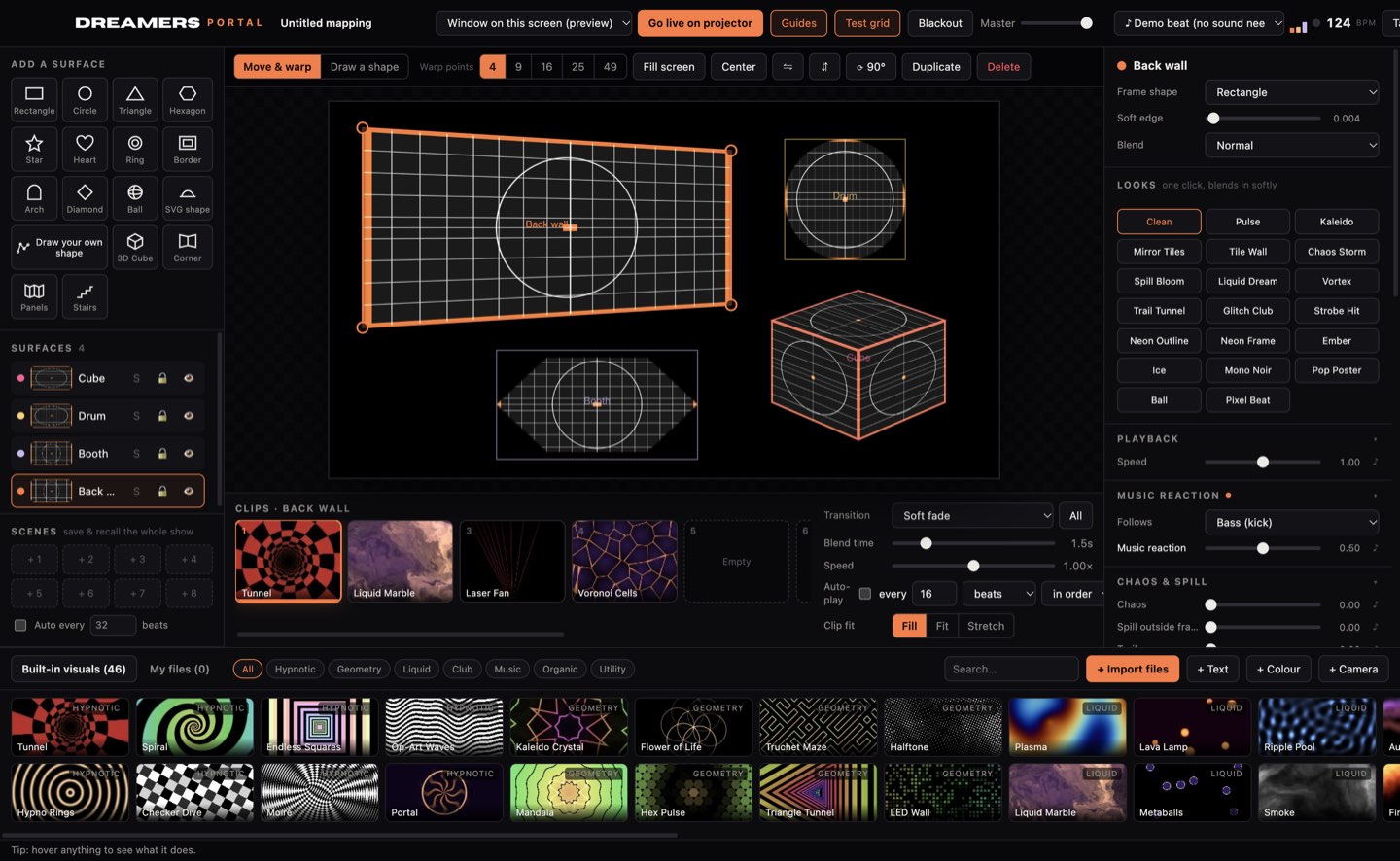
THE REAL ENGINE · RUNNING IN YOUR BROWSERThis is PORTAL's own render engine and shader code, the same files the app runs, mapping a club. Add a surface, drag its corners onto the booth or the disc, pick a visual, a transition and a look. Switch to PROJECTOR VIEW to see the picture the projector actually gets. Music runs on the demo beat until you press PLAY A TRACK.
46 VISUALS
BUILT IN · ALL LIVE · ALL MUSIC-REACTIVEEvery visual is a small program that runs on the graphics card and listens to the bass, mids, highs and the beat. Here are all 46 running at once in the real engine. Click one to put it on the surface you have selected in the playground.
23 TRANSITIONS
EVERY CLIP CHANGE BLENDSWhen a surface switches clips it never cuts unless you ask it to. Each surface has its own transition and its own blend time, from an instant cut to eight seconds. All 23 below, switching back and forth.
20 LOOKS
ONE CLICK · BLENDS IN SOFTLYA look sets a whole group of effects at once and cross-fades into it. Speed, opacity and brightness stay where you put them. Pick the visual underneath, then click a look to send it to the playground.
EVERY CONTROL
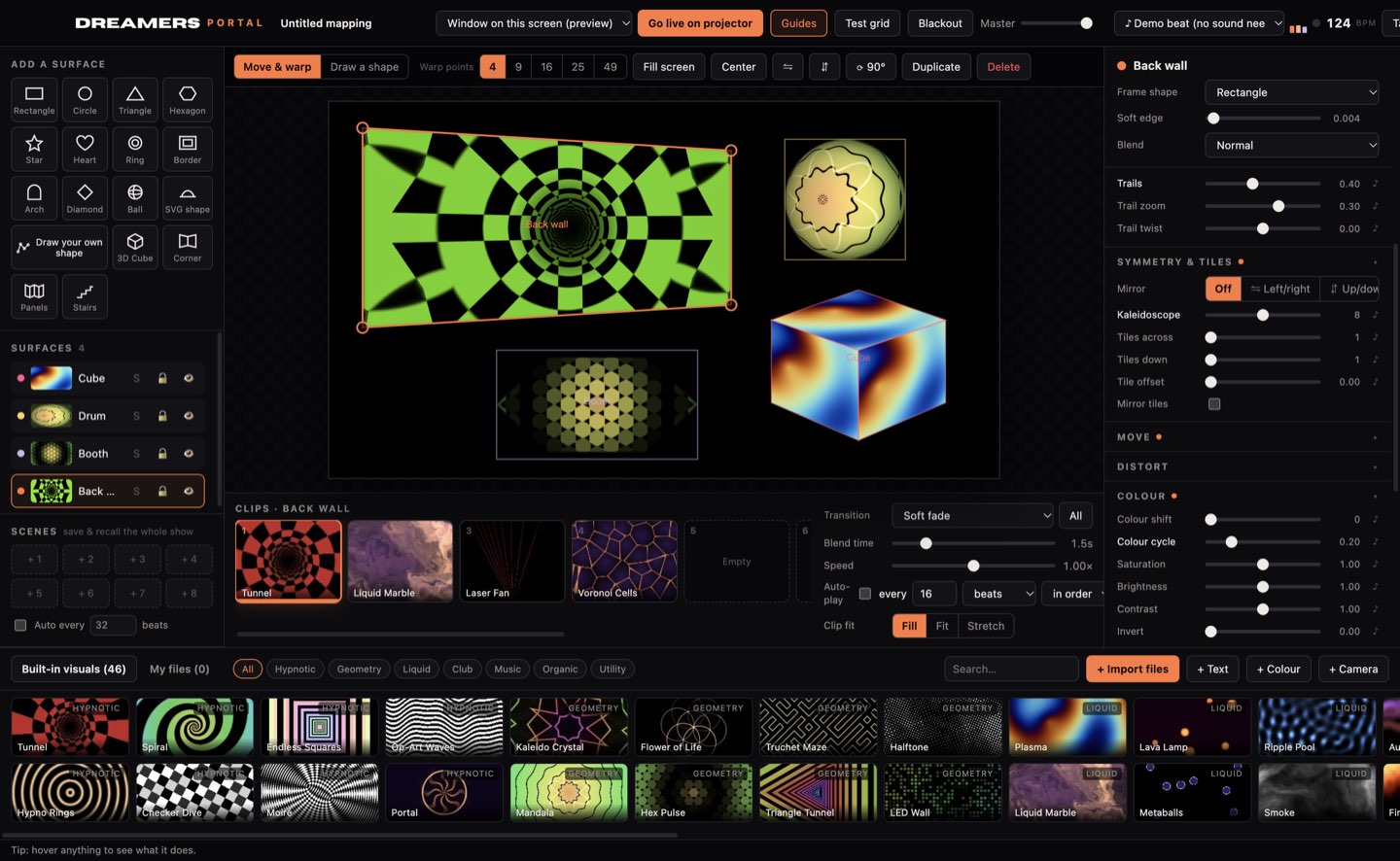
38 EFFECTS + SURFACES, CLIPS, MUSIC, SHOWThe effects come in nine groups. Each card runs the real engine and sweeps its controls one after another; click a control to hold it. Every effect slider in the app has a ♪ button that links it to the music.
SURFACES, CLIPS, MUSIC + SHOW
EVERY PARAMETER
RANGES · DEFAULTS · WHAT EACH ONE DOESThe descriptions in the EFFECTS tabs are the app's own hover tips, word for word.
USE CASES
WHERE IT EARNS ITS PLACEHOW IT WAS BUILT
TEN STEPS FROM BRIEF TO RELEASESEE IT
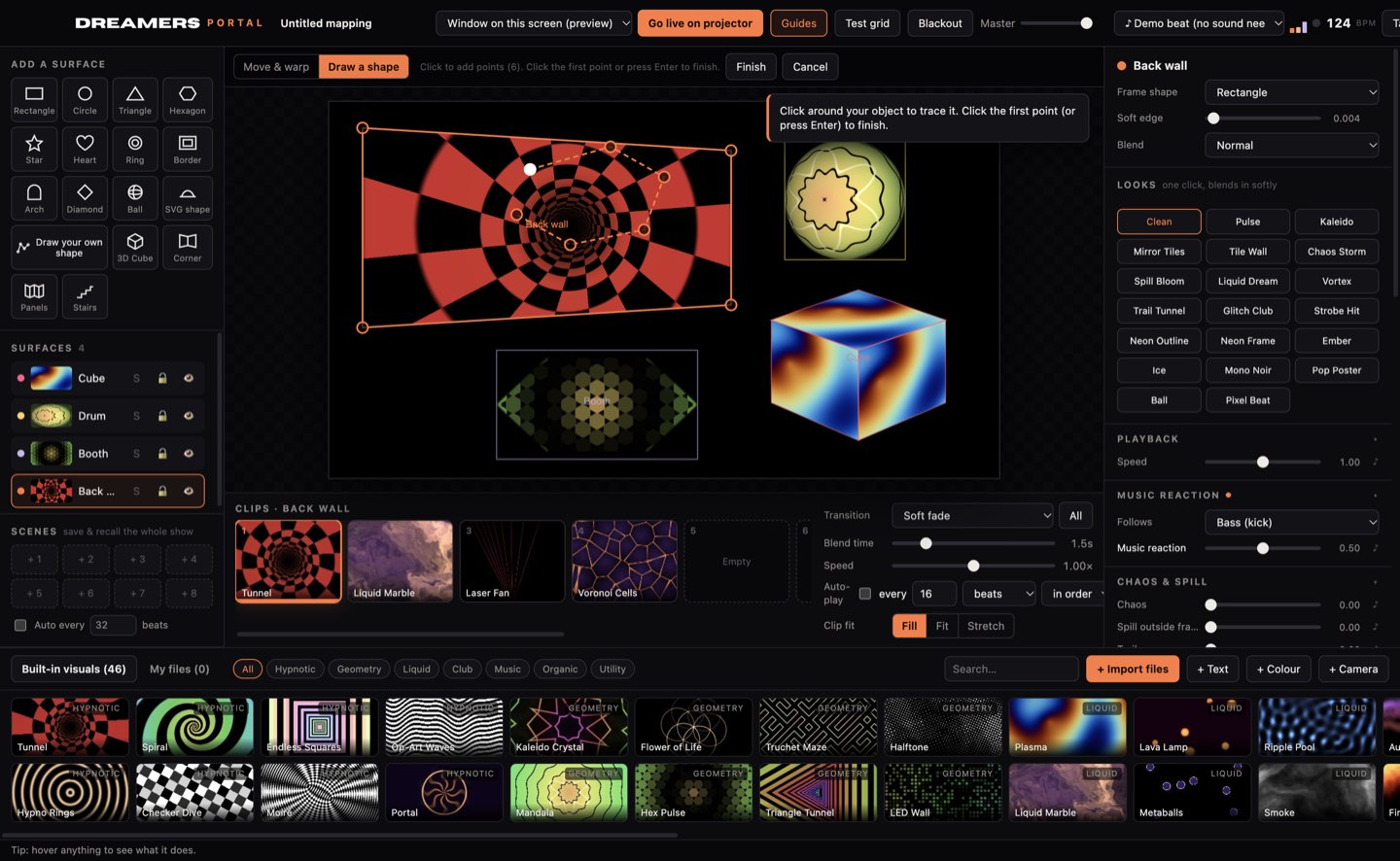
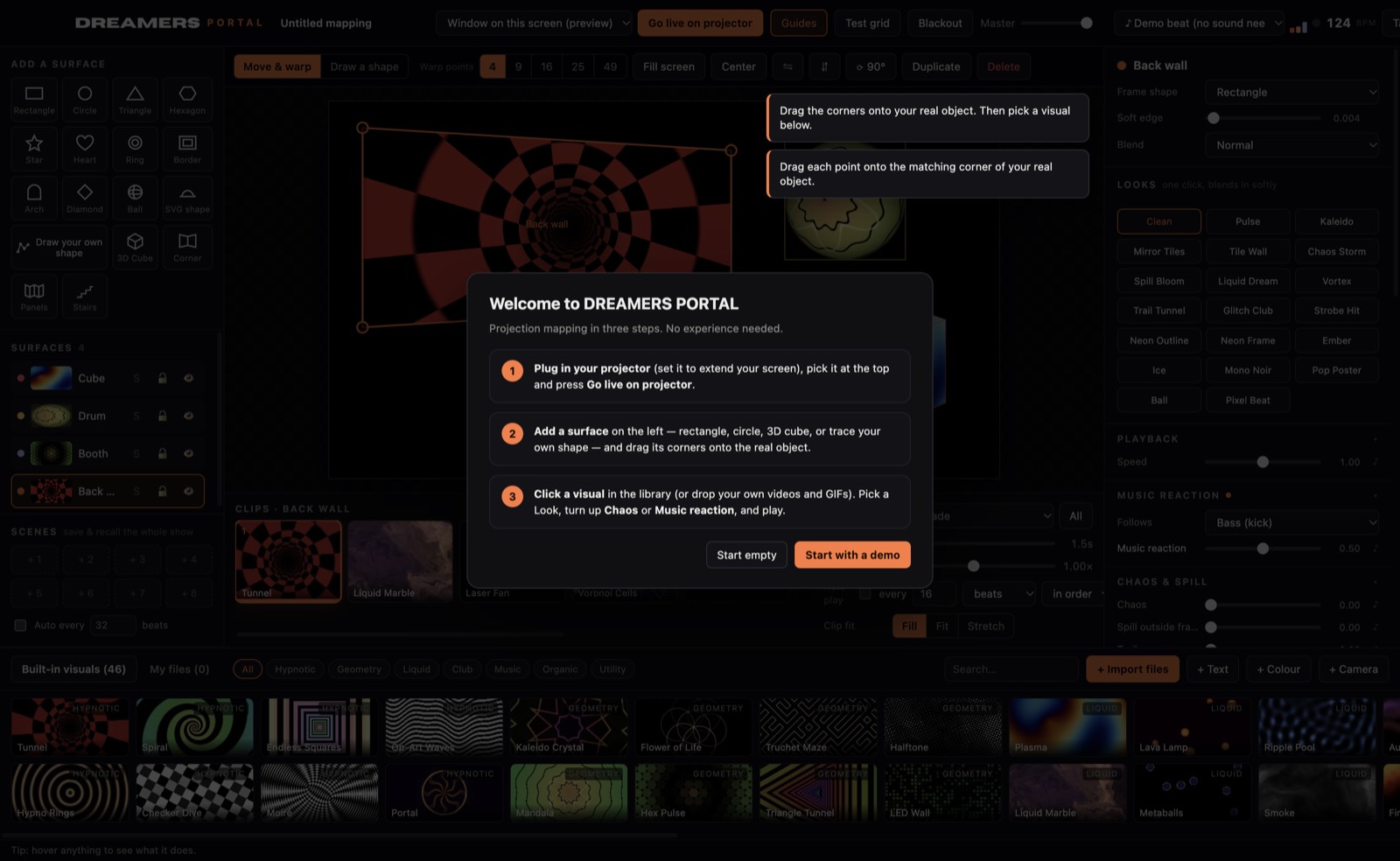
THE REAL APP WINDOW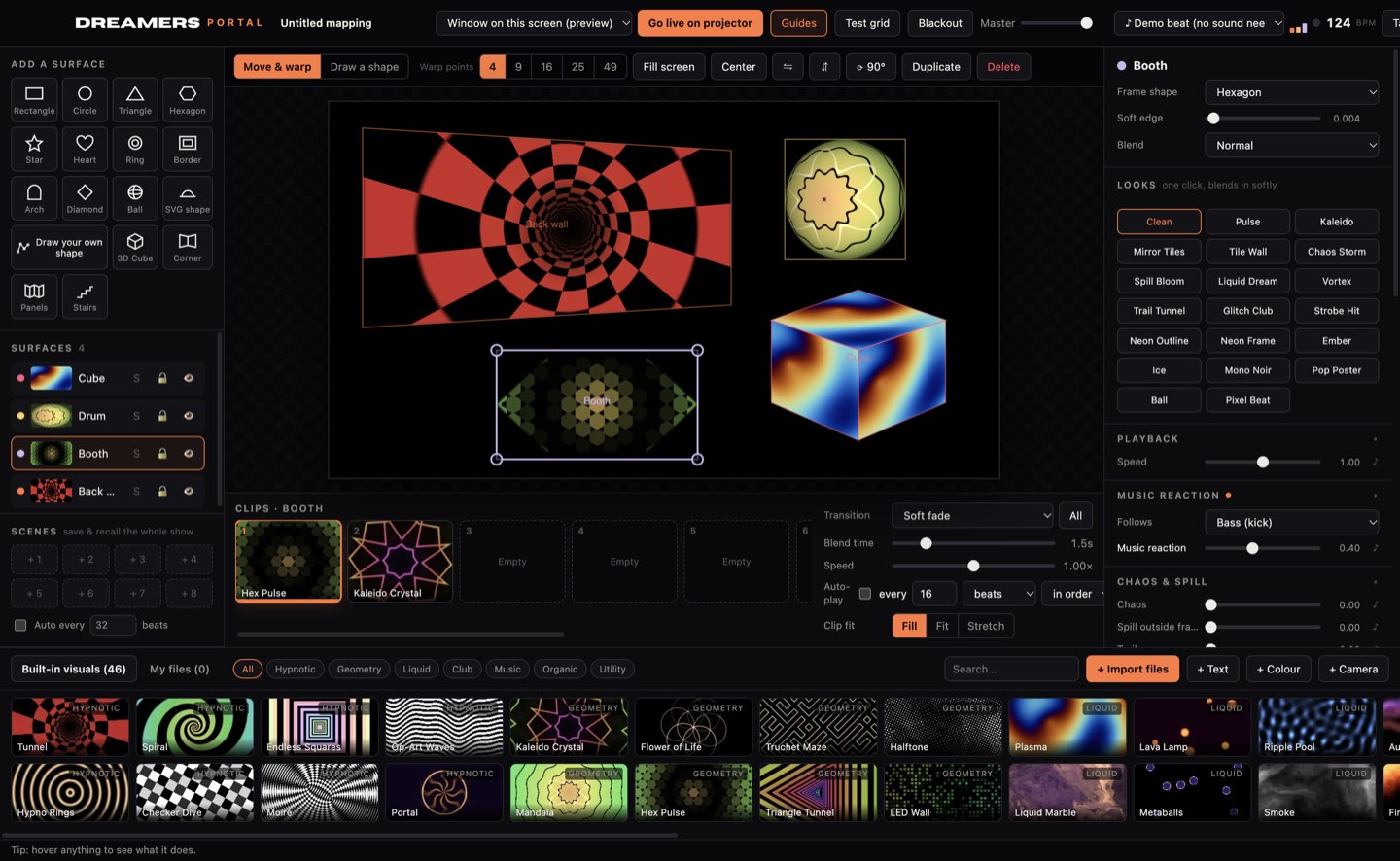
SPECS + LICENCE
WHAT YOU NEED · WHAT YOU GET- APP
- Desktop app for Mac · macOS 11 Big Sur or later · Apple Silicon and Intel
- OUTPUT
- Full-screen projector window on any connected display, found automatically when you plug one in · guides and handles on the projector too
- SURFACES
- As many as you like · 14 frame shapes incl. SVG import and trace-your-own · 3D cube, room corner, folded panels, stairs · warp grids up to 7 × 7 points
- SOURCES
- 46 built-in visuals · MP4, MOV, WebM, MKV video · GIF, animated WebP, APNG, AVIF · PNG, JPG, SVG · Lottie animations · camera · text · solid colour
- MUSIC
- Demo beat with no sound needed · any microphone or audio interface · computer sound · a song file · beat detection, BPM, tap tempo
- SHOW
- 8 scenes that cross-fade, auto-cycle every N beats · test grid · blackout fade · master · undo and redo · save and open .dmap projects · autosave
- TRIAL
- 20 minutes of real use, free, with a DREAMERS account
- LICENCE
- One payment · one computer at a time · works offline forever once bought
DO I NEED TO KNOW ANYTHING ABOUT PROJECTION MAPPING?
No. Plug in the projector, add a surface, drag its corners onto the real object and click a visual. The first time you open the app it walks you through those three steps, and every control explains itself when you hover it.
WHAT IF MY OBJECT IS CURVED OR ROUND?
Give the surface more warp points (9, 16, 25 or 49) and pull them onto the curve. For balls and domes, add a Ball surface: a circle that wraps the visual like a sphere. For anything else, trace its outline with Draw your own shape.
CAN I USE MY OWN VIDEOS?
Yes. Drop videos, GIFs, animated images, stills, SVGs or Lottie animations into the window, as many as you like, and put them in any clip slot. Text, a solid colour and a live camera work as sources too.
HOW DOES IT FOLLOW THE MUSIC?
Pick the demo beat, a microphone or audio interface, the computer's own sound or a song file. PORTAL splits it into bass, mids and highs, finds the beat and the tempo, and you can tap the tempo by hand. Music reaction is one knob per surface; the ♪ button on any effect links that one effect to the music.
WHAT HAPPENS WHEN THE TRIAL ENDS?
The editor stays open so you can look around, but the projector goes black with a small "Unlock DREAMERS PORTAL" until you buy.
WINDOWS? SEVERAL PROJECTORS?
Version 1.1 is a Mac app (macOS 11 or later, Apple Silicon and Intel) with one projector output. A Windows beta is on the downloads page; it has not been tested on a Windows PC yet. There is no edge blending between projectors.
IS IT IN THE STUDIO BUNDLE?
Yes. The STUDIO BUNDLE (₹5,999) has every DREAMERS plug-in and app except ATLAS, and the free HUB installs them all.
06 / DREAMERS PORTAL