
02 / DREAMERS FREQUENCIES · 2026.10.30 · VERSION 1.4
ORBIT
FLY EVERY CHANNEL AROUND THE ROOM.
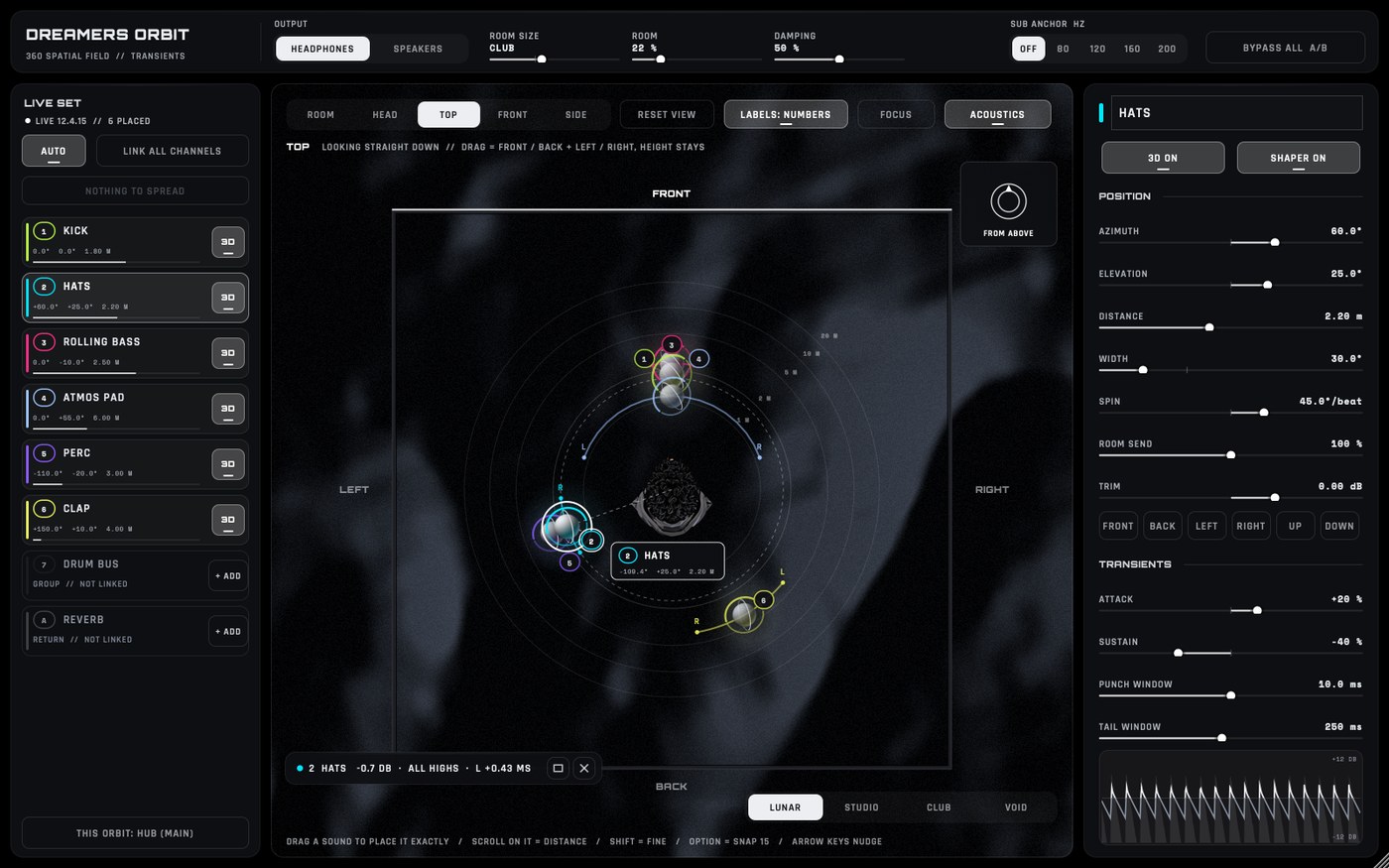
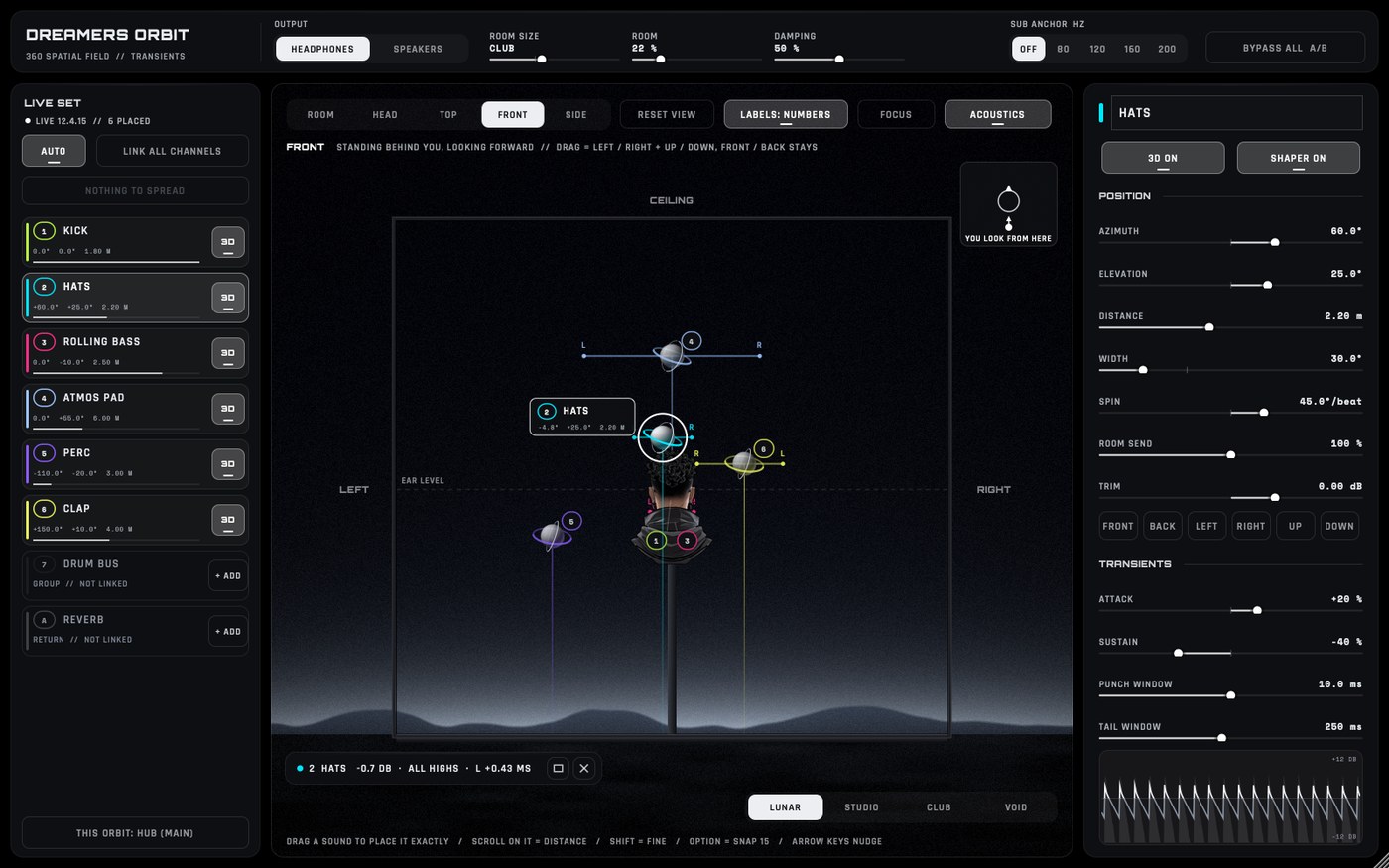
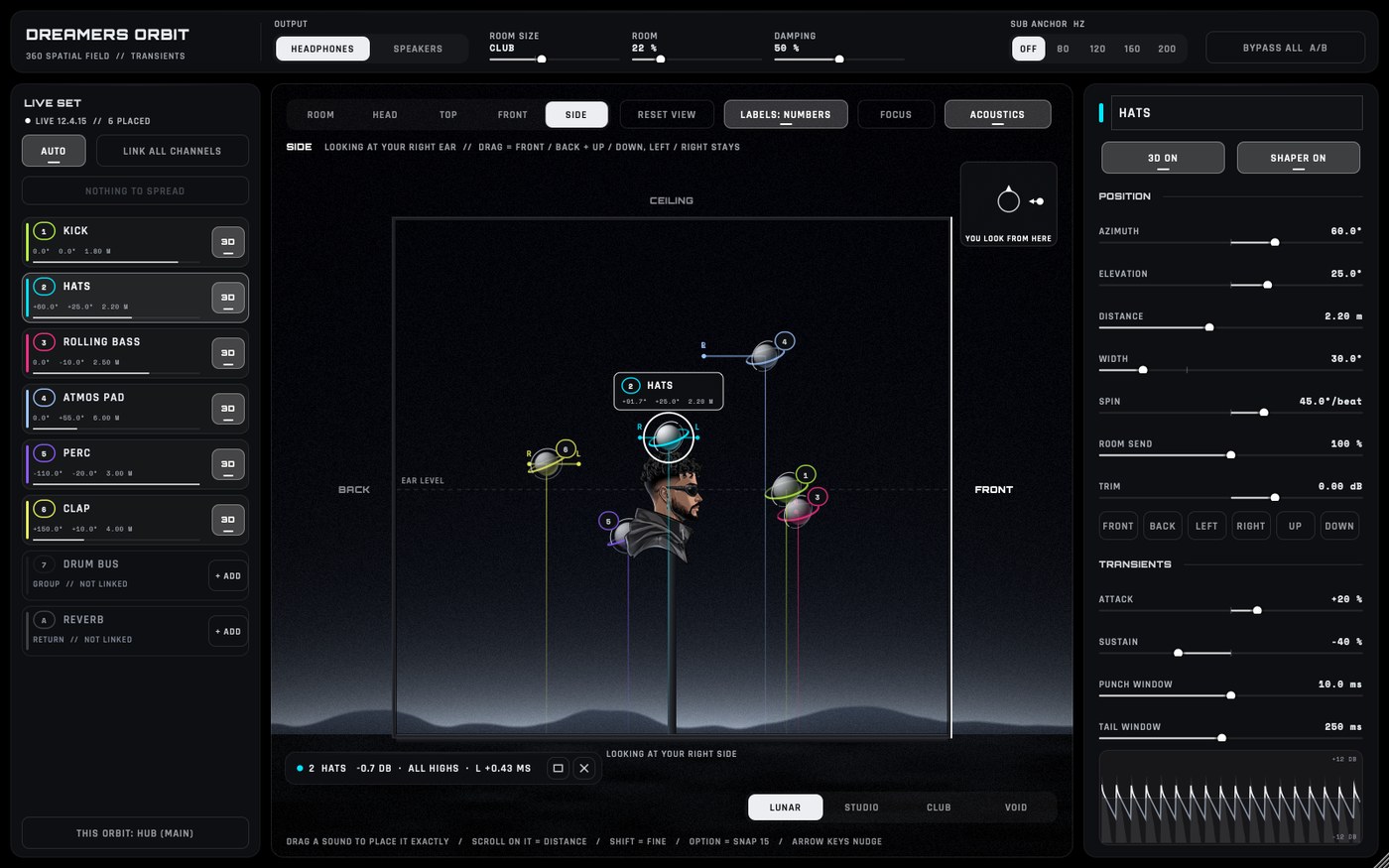
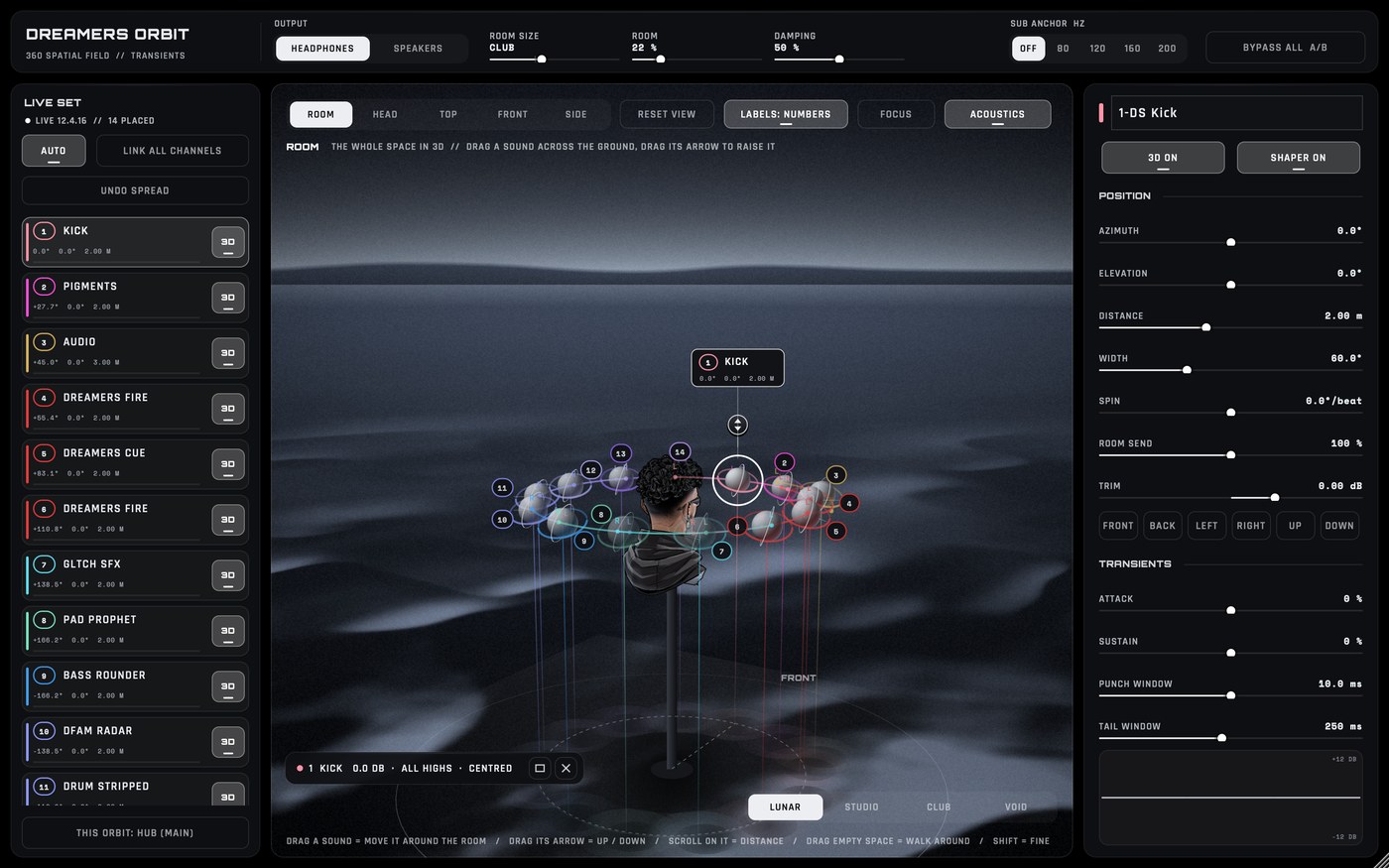
A 360° spatialiser and transient shaper for Ableton Live. Put it on your Main track and every channel in your set lands in one 3D room around your head. Place each sound in front, behind, above or below you, push it near or far, spin it in time with the track, then shape how hard it hits.
₹1,999ONE-TIME · MAC · VST3 + AU · PULSE FIELD INCLUDED FREE
HEADPHONES ON FOR FRONT, BACK, UP AND DOWN.
WHAT IT IS
THE IDEA IN 20 SECONDSA pan knob moves a sound left or right. ORBIT moves it anywhere: behind you, over your head, down by your feet, three metres away or fifty.
It does it with the cues your ears really use: the tiny delay between your ears, the shadow your head casts, the notches your outer ear cuts as a sound rises, the treble a long distance takes away, and the room around it. Every channel gets its own spot, its own width, its own spin, and its own transient shaper, all from one window on Main.
THE NAME: EVERY SOUND IN YOUR SET ORBITS YOU. YOU ARE THE CENTRE OF THE ROOM, THE CHANNELS ARE THE PLANETS.
THE FIELD
PLACE THE SOUNDS · HEADPHONES ONThis is the ORBIT window running on a four-bar techno loop, with each channel where the plug-in's own demo puts it. Drag a sound to move it, scroll on it to change its distance, pick a channel and set its numbers by hand. Press HEAR IT with headphones on and you hear every move. The sound here is built in your browser from the plug-in's own formulas.
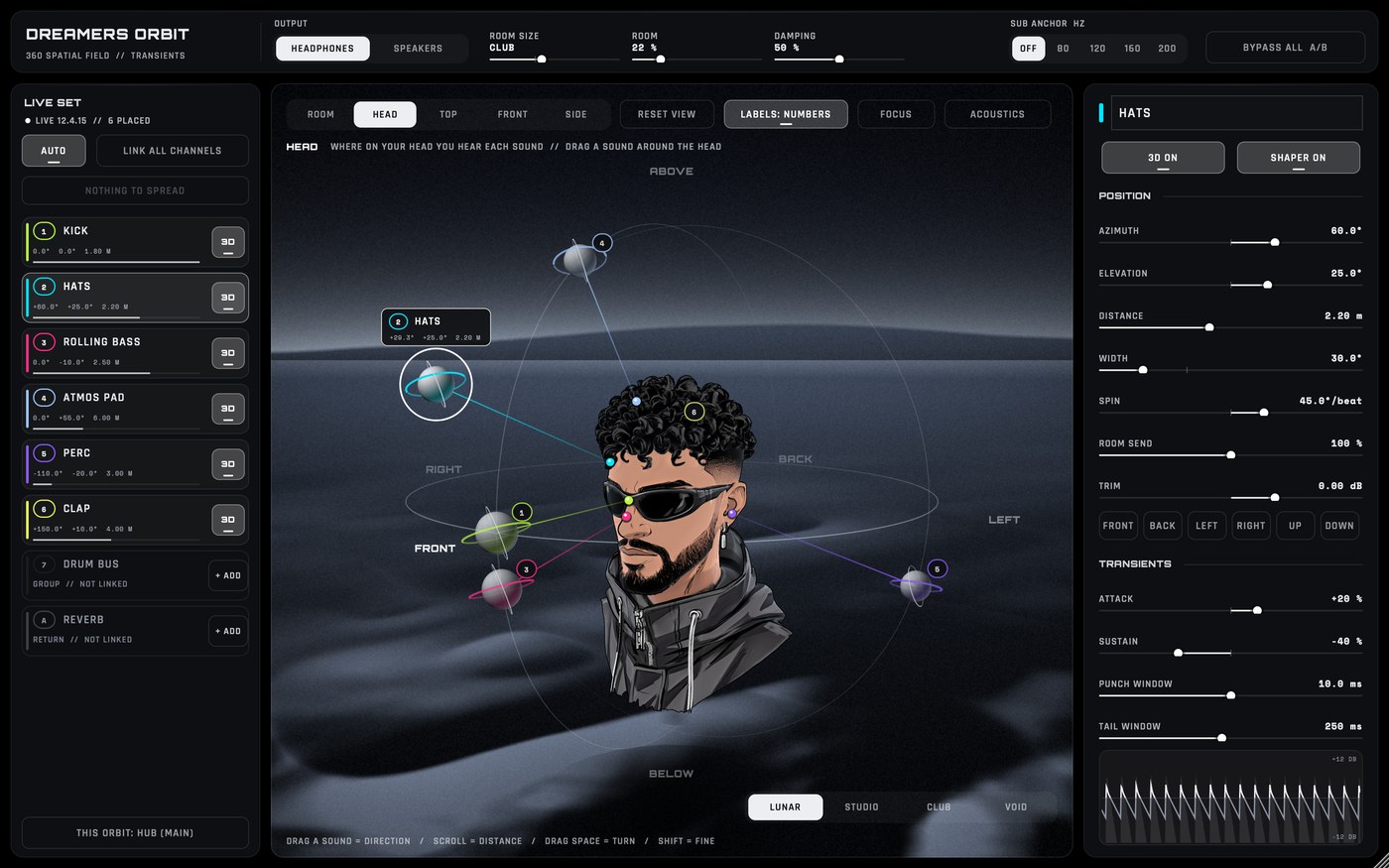
DRAG A SOUND TO PLACE IT · SCROLL ON IT = DISTANCE · SHIFT = FINE · OPTION = SNAP 15° · ARROW KEYS NUDGE · 1–5 = VIEWS
TRANSIENTS
THE SHAPER ON EVERY CHANNELPlacement changes where a sound is. The shaper changes how it hits.
ATTACK makes the start of each hit harder or softer. SUSTAIN makes the ring after it longer or shorter. It follows the shape of the sound, not its loudness, so a quiet hat and a loud kick react the same way. At zero it leaves the sound exactly as it was.
EVERY CONTROL
EACH ONE ANIMATEDThirteen controls live on every channel, and every one of them is an automation parameter in Live. Six more are set once for the whole set and saved with it. Then there is the window itself. Each card shows what its control does.
USE CASES
WHAT PEOPLE DO WITH ITHOW IT WAS BUILT
TEN STEPS FROM IDEA TO RELEASESEE IT
THE REAL PLUG-IN · VERSION 1.4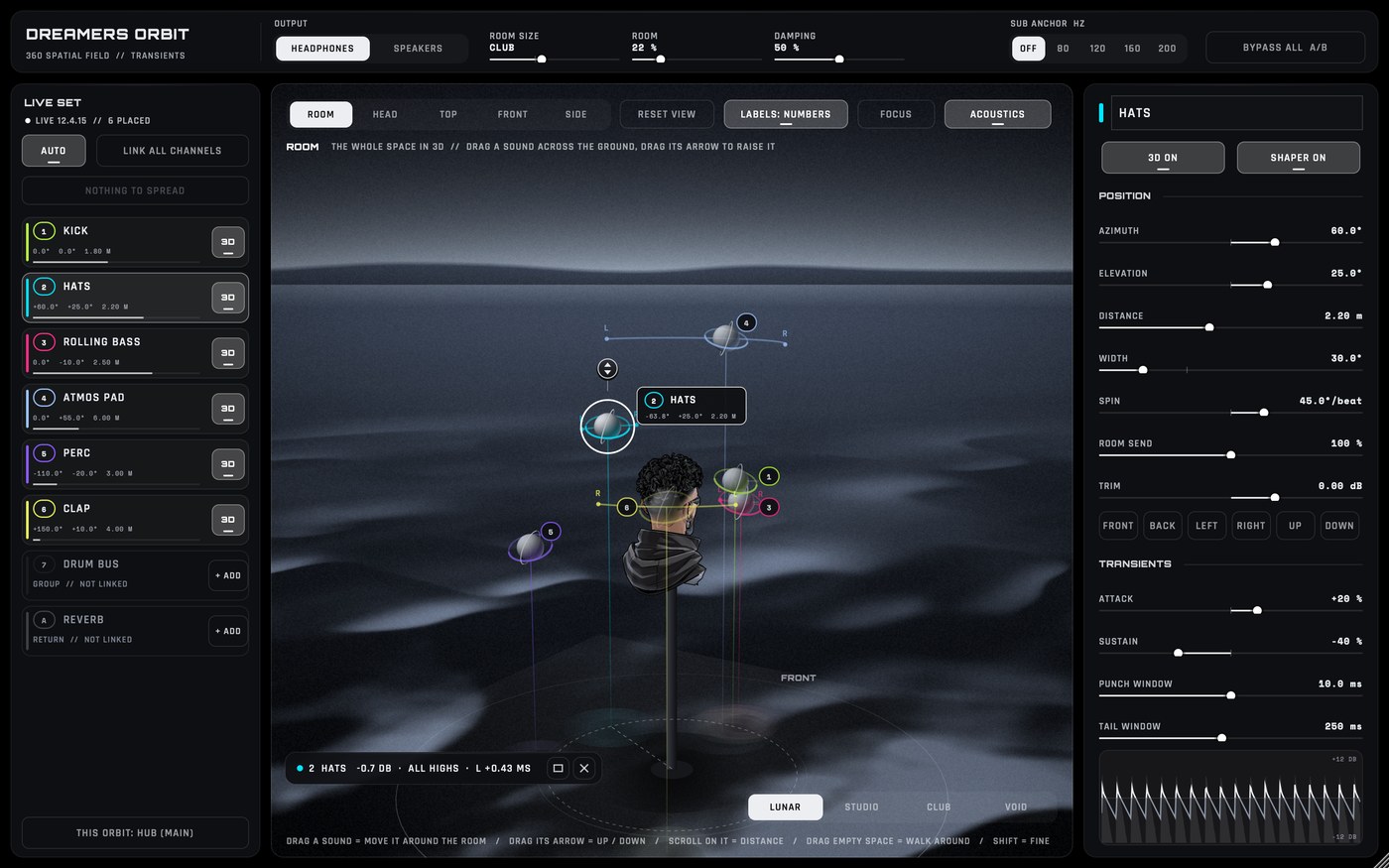
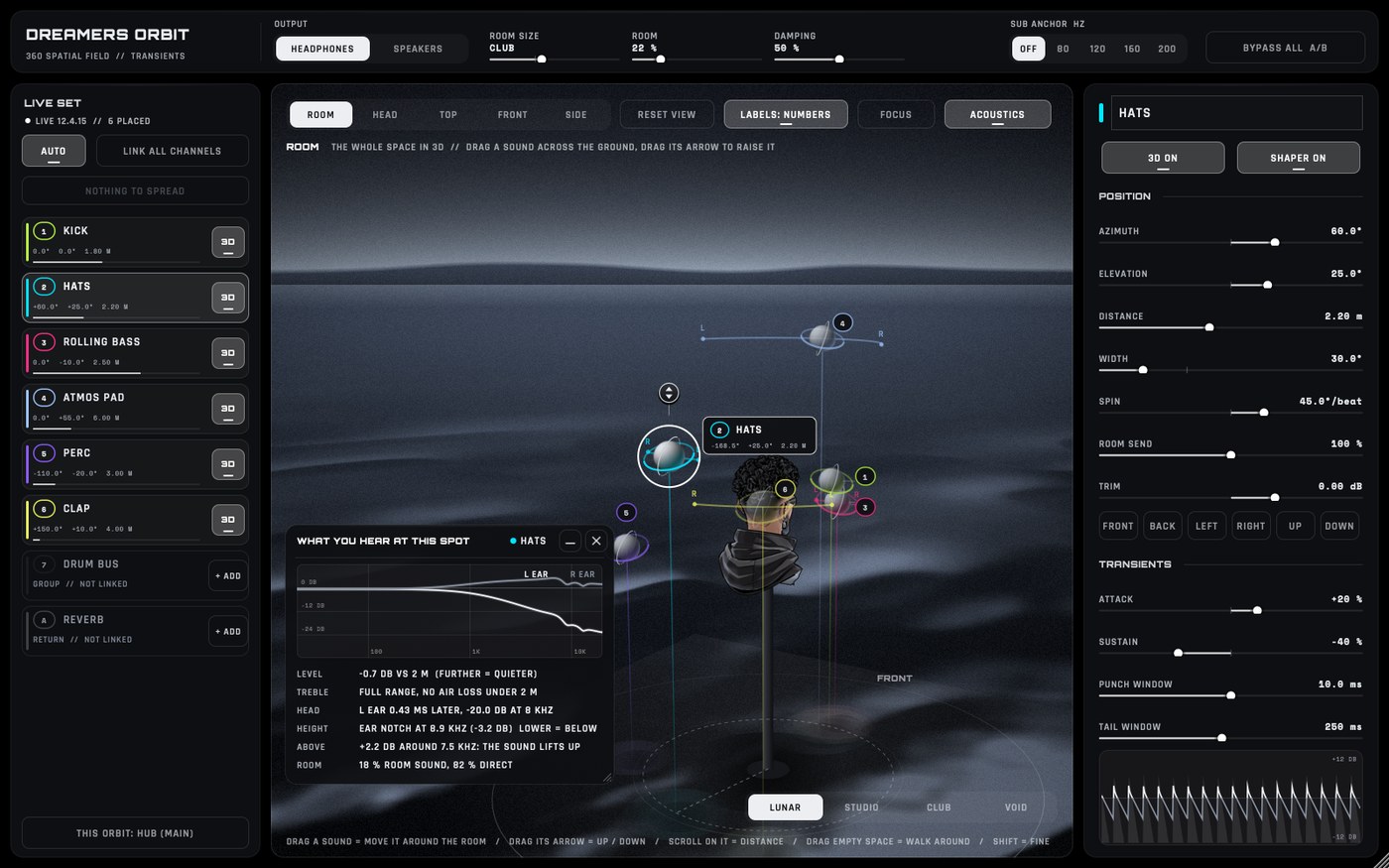
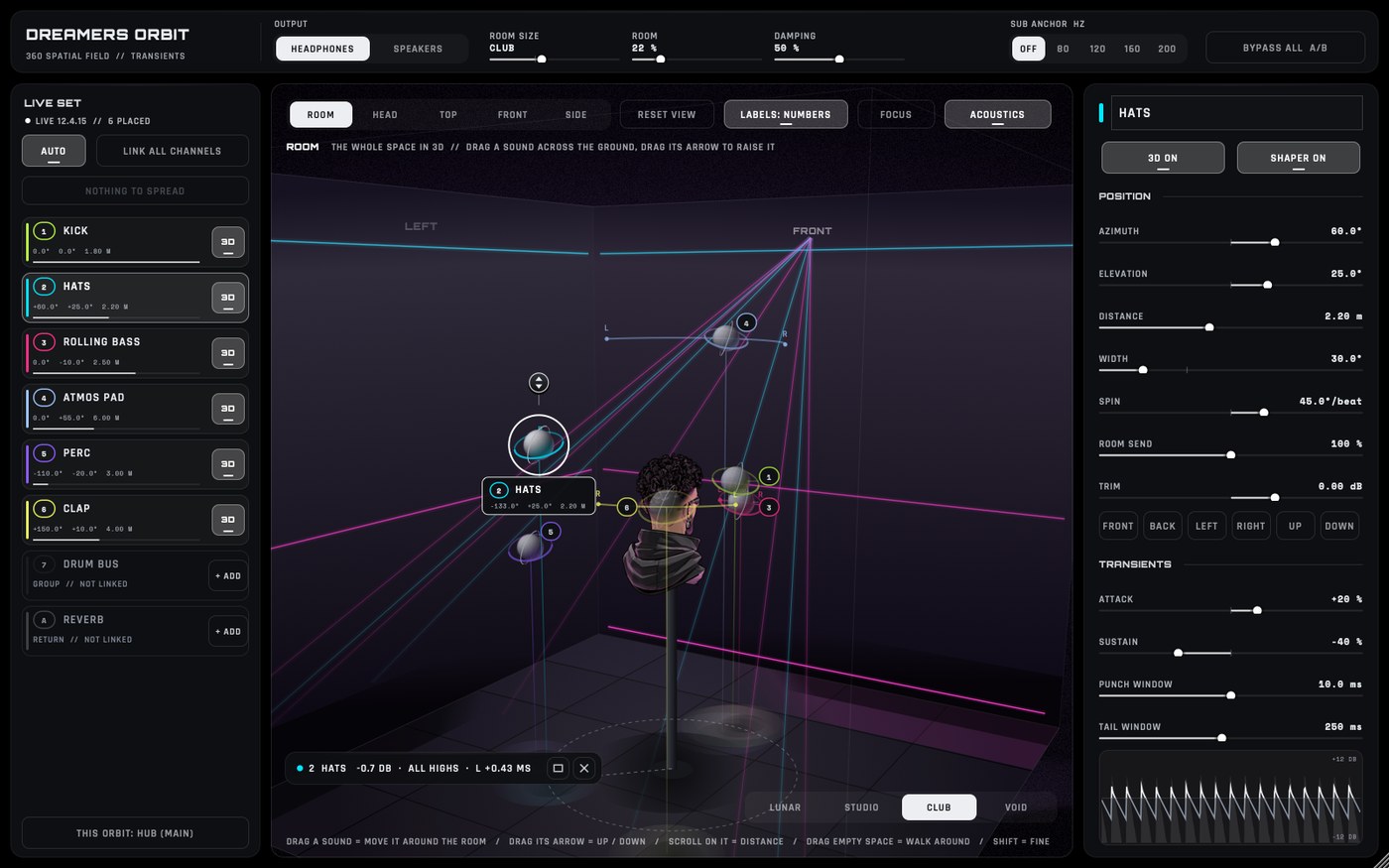
SPECS + LICENCE
WHAT YOU NEED · WHAT YOU GET- FORMATS
- VST3 and AU
- SYSTEM
- macOS 11 or later · Apple Silicon and Intel downloads
- HOSTS
- Ableton Live 11 or 12, built and tested in Live 12.4 with the free Live helper. In other hosts, put a copy on each track you want to place.
- AUDIO
- Stereo or mono in, stereo out
- PER CHANNEL
- Azimuth ±180° · elevation ±90° · distance 0.3 to 50 m · width 0 to 180° · spin ±180° per beat · room send 0 to 200 % · trim −24 to +12 dB · 3D on/off · attack and sustain ±100 % · punch window 1 to 50 ms · tail window 30 to 2000 ms · shaper on/off
- WHOLE SET
- Headphones or speakers · room size · room · damping · sub anchor off, 80, 120, 160 or 200 Hz · bypass all
- LATENCY
- 2 samples, the same on every copy so channels stay in time
- CPU
- About 0.8 % of one core per moving channel on the test machine
- WINDOW
- Opens at 1600 × 1000, resizable from 1280 × 820 up to 2600 × 1600 · black window, dark glass panels, white and grey controls · scenes LUNAR, STUDIO, CLUB, VOID
- BUSY SETS
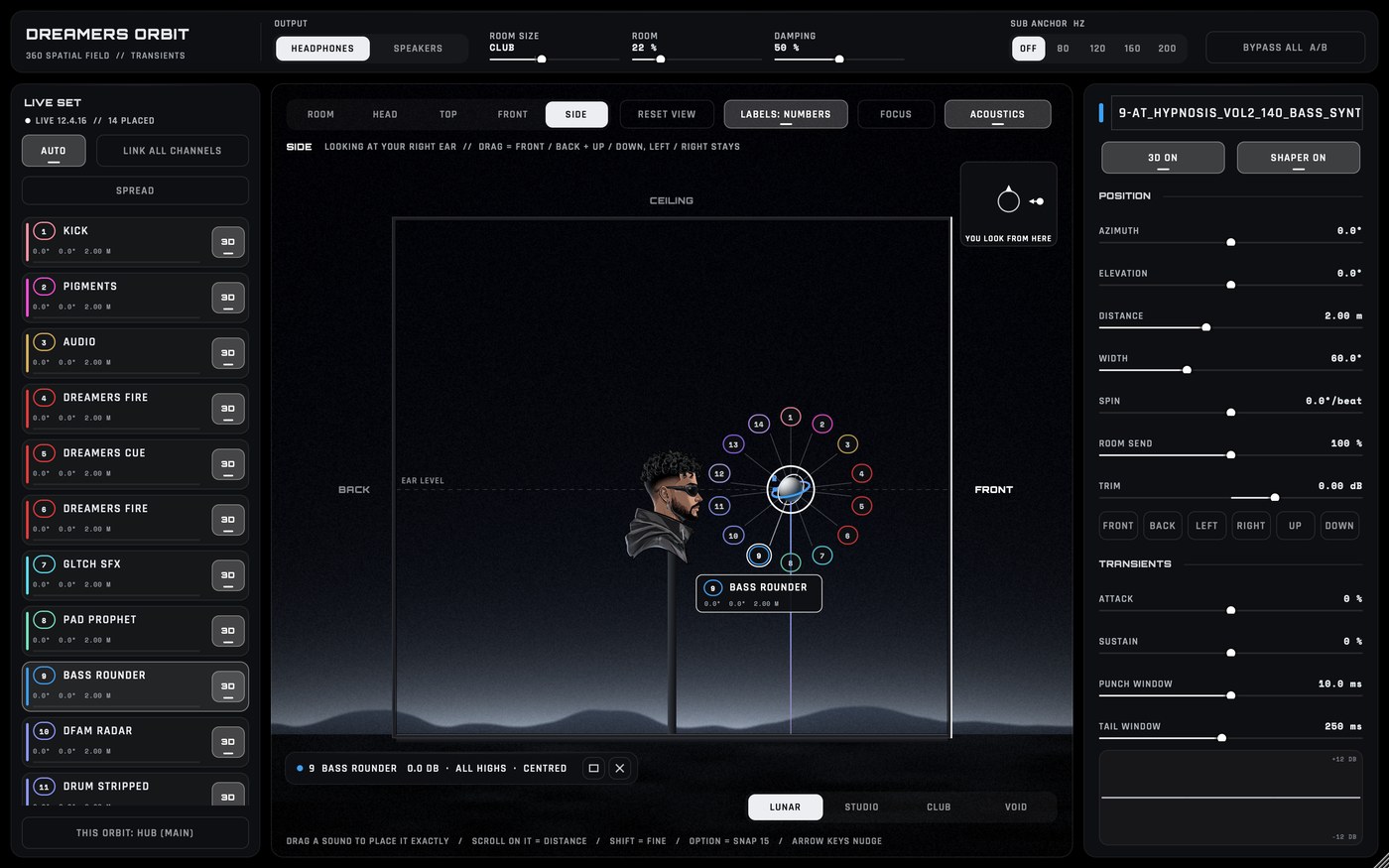
- Every sound shows its channel number, the one Live gives the track (returns A, B) · short names up to 14 characters, or type your own · LABELS: NUMBERS, NAMES or OFF · stacked sounds fan their badges out · FOCUS · SPREAD with UNDO
- TRIAL
- 20 minutes of real use, free, with a DREAMERS account
- LICENCE
- Buy once · one computer at a time · works offline forever once it's yours · DREAMERS PULSE FIELD included free
DO I NEED HEADPHONES?
For the full effect, yes. Front and back, up and down come from tiny differences between your two ears, and speakers mix those together. On monitors or a club system, switch OUTPUT to SPEAKERS: distance, width, room and the transient shaper still work, and left to right becomes a clean constant-power pan.
WHY DOES IT NEED A LIVE HELPER?
A plug-in only hears the track it sits on. The helper is a free control-surface script that lists every channel in your set and adds a copy of ORBIT to each one, so you place them all from the window on Main. Groups and returns are added by hand with + ADD, so nothing is placed twice.
CAN I USE IT WITHOUT THE HELPER?
Yes. Put ORBIT on each track you want to place, and set one copy on Main to HUB. Every copy shows up in the one window.
IS IT AN HRTF?
It is its own binaural model of a head: ear delay, head shadow, near-field level, and ear notches that move with height. No impulse-response files to load, light on CPU, and every position moves smoothly with no clicks.
IS THE BROWSER DEMO THE SAME SOUND?
Close, not identical. The positions, distances, delays, filters and the transient shaper use the plug-in's own formulas, rebuilt with your browser's audio filters. The room in the browser is a simpler reverb than the plug-in's.
CAN I AUTOMATE IT?
Yes. All thirteen per-channel controls are automation parameters on that channel. Drags in the window are written as clean gestures, so Live records them like any knob move.
WHAT HAPPENS WHEN THE TRIAL ENDS?
Your sound keeps passing through, with the same 2-sample delay, so your set stays in time. ORBIT stops placing and shaping until it's yours.
02 / DREAMERS ORBIT
FLY EVERY CHANNEL
AROUND THE ROOM.
₹1,999 · PULSE FIELD INCLUDED FREE